Payroll materials
Named users can deliver payroll materials from Integrata® Service Platform to their payroll team. Payroll can also deliver reports to named users. Feature is guided with automation and files can be delivered directly to document management.
Payroll material deliverer will have access to Payroll material -feature in the web application, where they can upload needed files for payroll team. Admin users can add delivery access to needed users.
- Use Upload from computer or drag and drop files. Multiple files can be uploaded simultaneously.
- Add needed metadata fro files and finally, press Send, and files will be delivered
- If all files have the same information you can copy payment group and pay date selections to other files delivered at the same time
- You can also view your submission history
File metadata
Platform will try to recognize material type automatically, but if it cannot be properly identified this can be set manually from the selection.
Choose one that best describes your file.
If there is only a one active payment group, the payment group field is set automatically.
Next three available pay dates can be chosen.
Other-option is menat for additional pay days. Before chooseing this, please consult your payroll team.
Payroll materials delivery can also use additional information fields with files: Employee number and/or Comment. If these are needed, please contact our support.

Submission history
User can see their own sending history behind the Delivered materials -tab.
- Begin viewing files by selecting Year and Payment date(s)
If an integration has been activated and files are delivered to document management, the integration will begin transfer immediately. Transfer status can be monitored on this page.
- Files can be deleted if chosen, or you can download sent file, but already transfered file cannot be modified
- Contact your payroll team to modify already sent files
Payroll reports
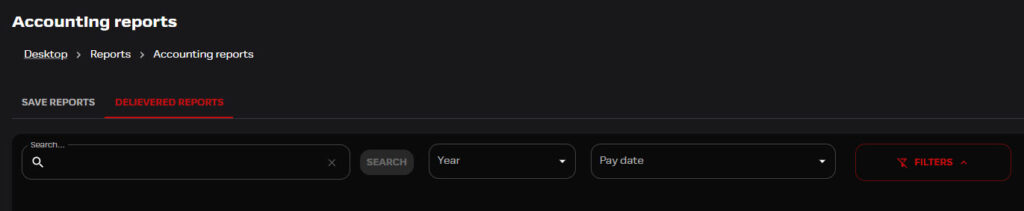
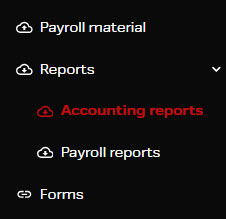
Under Reports-feature, users can download accounting and payroll reports.
Integrata Payroll can upload these files to customers. Files are given material type metadata and based on this data can be given narrower admissions per material type. This is configured with customer based roles.
- Reports-feature will include, depending on user roles, either Accounting reports and/or Payroll reports as their own navigation
- Reports can be sorted for example with year and paydate selection and per payment group
Payroll and Accounting Reports views accept multiple files downloaded at the same time. This will result in downloads being formed into zip-files. Maximum allowed download quantity is 10MB.
Notifications
If a user has visibility to any delivered files, they will receive notfication when a new file has been delivered.
- These notfications can be deactivated from the Notfication settings with settings: New report has been uploaded