Holiday bonus exchanges
Approval
Managers approve their subordinates’ holiday bonus exchange requests if an approval workflow has been enabled when opening the exchange period. The HR role can also act as an approver for holiday bonus exchanges, according to the settings of the exchange period.
The manager can view new, approved, and rejected requests in the Approvals view. This can be found from either the web or mobile interface.
- The “Approvals” view also includes other items awaiting the manager’s approval
- The approver receives a notification of a new holiday bonus exchange awaiting approval
- The approver can approve several holiday bonus exchange requests at once using the “Select multiple” button, available when filtering by “Status: Pending” and “Type: Holiday bonus exchange”
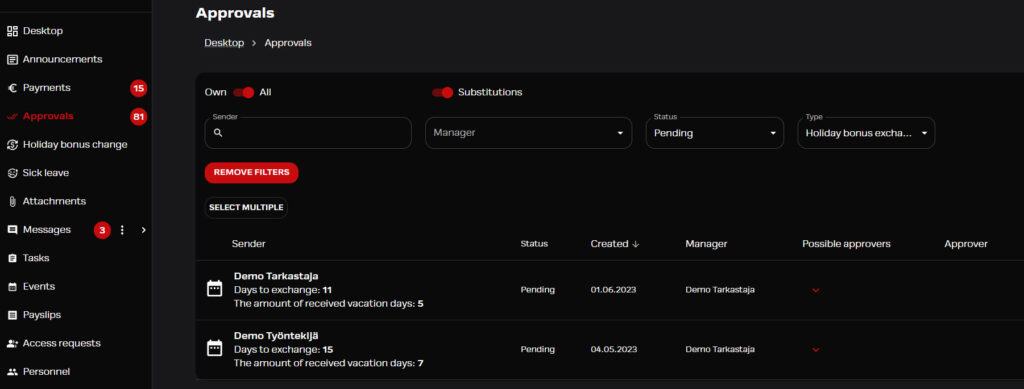
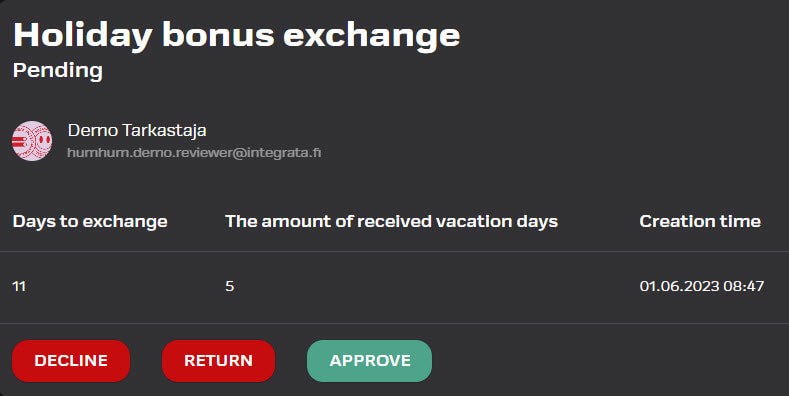
- Depending on the situation, the approver can mark the exchange as approved, or reject/return the request.
Substitute settings
Managers can assign a substitute for their absence.
- You can find the “Manage Substitutes” menu in the top right corner under the profile icon in web application
- In the mobile app same setting can be accessed through Settings
- A substitute can be appointed for an indefinite period or for a fixed period
- You can assign another user as a substitute. If the substitute is not a manager, they can only be approved in the browser application.
- The substitute can act on your behalf and receive notifications of new events
- The substitute can also send attachments on behalf of your subordinate
- You can have one or more substitutes
- If no substitutes are yet set, the app will automatically suggest making the setting
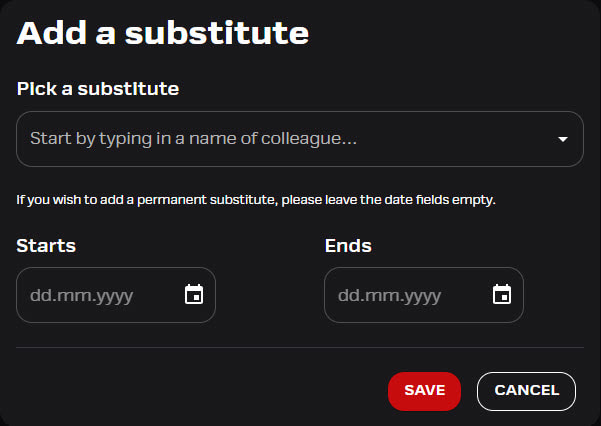
Adding a substitute on behalf of a manager
The admin role has the right to add substitutes on behalf of a manager..
- Go to the “Personnel” menu and search for the manager by name.
- Open the user’s card, and add the substitute on the “Substitutes for this manager” tab.