Holiday bonus exchanges
Exchange request
During the designated exchange period, employees can convert their accrued holiday bonus balances into time off. Managers approve their subordinates’ holiday bonus exchange requests if an approval workflow has been enabled when opening the exchange period.
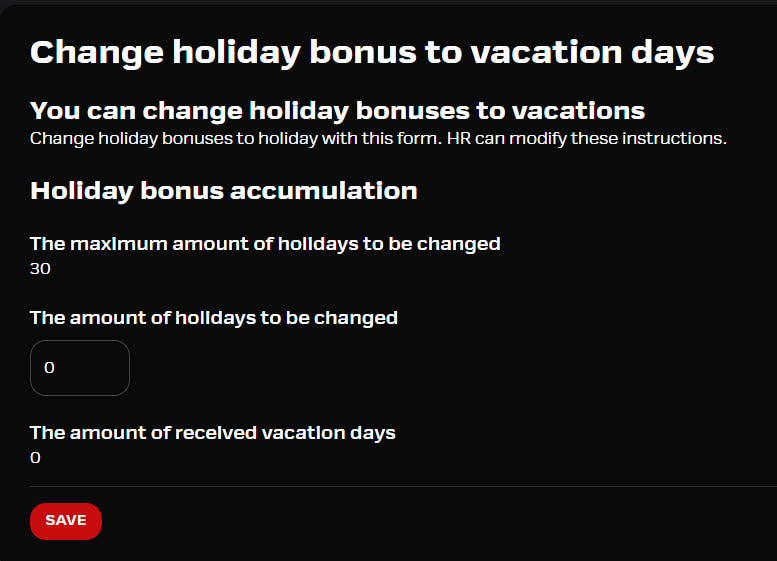
Once the period is open, employees will find the holiday bonus exchange option in the mobile app. The form includes instructions set by the HR role and the exchange options.
Request to exchange holiday bonus leave
The employee can fill in their exchange request through a simple form and see the instructions entered by HR. The same form can be viewed on mobile and in a browser.
- Form will only be available during the given exchange period and if an employee has something to change
- The selected value is sent for approval after saving according to the settings
- If the exchange request is rejected, the employee will receive a notification
- The processing status of a previously submitted holiday bonus exchange request (Approved / Pending / Rejected) is now visible to the user
- In the web application, selecting the same value again is prevented, and the user must actively choose the Apply for change button in order to edit the existing request
- In the mobile application, the request status and the exchange amount are displayed immediately at the top of the form
Read here about approval flow.